
Stop building chatbots — build an assistant that actually does things. In this crash course you’ll turn OpenClaw (aka ClawDBot/Moltbot) from a curiosity into a 24/7 production AI agent that reads your messages, runs scheduled jobs, researches the web, and acts on your behalf — all connected to Telegram (or WhatsApp) and safely hosted on a VPS.
Short guide to what you’ll learn: architecture, installing locally and on a VPS, plugging in models (Gemini/OpenAI/OpenRouter), creating a Telegram bot with BotFather, authoring Skills, scheduling jobs, adding web research with Tavily or a browser extension, multi-agent patterns, and hardening security.
Why stop at chatbots? The shift from “reply” to “do”
Chatbots are great at conversation. Assistants actually perform work. OpenClaw (previously Cloudbot/Moldbot) is an agent framework designed to bridge that gap: instead of asking for a response, you give the agent named capabilities (Skills) and it executes them on your behalf. Think of it like turning templates and repeated prompts into actual functions your assistant can call.[IMAGE: Diagram of OpenClaw Gateway → Agent → Skills → Channels]
Architecture breakdown: Gateway → Agent → Skills → Channels
This architecture is simple but powerful, and it’s worth understanding before you dive in.
Gateway
The Gateway handles incoming requests, authentication, and routes messages to the right agent. It’s the public face — or the layer you expose to Telegram/WhatsApp/Discord and to scheduling systems.
Agent
An Agent is an identity: soul.md (who it is), memory.md (what it knows), and a runtime that executes Skills. You can run multiple agents — a work agent and a personal agent — each with separate identity and memory to avoid accidental data mixing.
Skills
Skills are the heart of OpenClaw. They’re markdown/script-based, reusable behaviors that encapsulate prompt logic, tool calls, and small scripts. Instead of pasting the same prompt into a chat, you create a named Skill like “summarizer”, “web-reporter”, or “gmail-connector” and call it from the Agent.
Channels
Channels are the external ways you interact with your assistant: Telegram, WhatsApp, Discord, a TUI, or a Web UI. OpenClaw connects these channels through the Gateway so the same Agent can service multiple endpoints.
Getting started: Install locally and on a VPS
The instructor walks through macOS and Windows installs for quick testing, then shows how to deploy to a VPS for 24/7 uptime. Local installation is perfect for iterative skill development; a VPS is where you run production agents.[IMAGE: Terminal screenshot showing installation steps on macOS]
Local install tips
- Use a virtual environment for Python dependencies so you don’t conflict with system packages.
- Start with a small model locally (or an API proxy) so iteration is fast.
- Test your Skills in a TUI or Web UI before exposing them to external channels.
VPS deployment
For 24/7 availability, the instructor recommends a single-click Hostinger VPS option. You can also use any provider (DigitalOcean, AWS, Linode). Key tips:
- Harden SSH (disable password auth, use keys)
- Use a process manager (systemd, pm2, or docker-compose) to auto-restart the agent
- Keep secrets out of repo — use environment variables or a secrets manager

Plugging in models: Gemini, OpenAI, OpenRouter
OpenClaw is model-agnostic. You can point it at Gemini, OpenAI, OpenRouter, or any LLM endpoint. Choose based on latency, cost, and tool access (some models support function calling better than others).
Practical guidance:
- Start with an API-backed model to avoid running large local weights.
- For private or offline setups, consider local models behind an OpenRouter-like interface.
- Monitor token usage and set conservative max tokens for Skills that run frequently (cron jobs or heartbeats).
Channels and real messaging integration
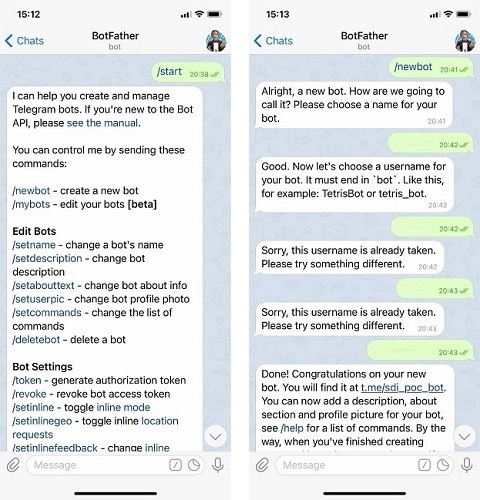
Telegram is a great first channel because BotFather makes bot creation easy. WhatsApp and Discord are supported too. The pattern is the same: create the channel bot, connect credentials to the Gateway, and map chat users to agent identities.
Telegram setup (high-level)
- Talk to BotFather and create a new bot — copy the token.
- Configure the token in your OpenClaw Gateway as an environment variable.
- Hook Webhooks or use long polling to receive messages.
[IMAGE: Telegram BotFather new bot screen]
Once connected, you can send commands like /summarize or trigger scheduled digests to be delivered through the same channel.
Skills: authoring reusable capabilities
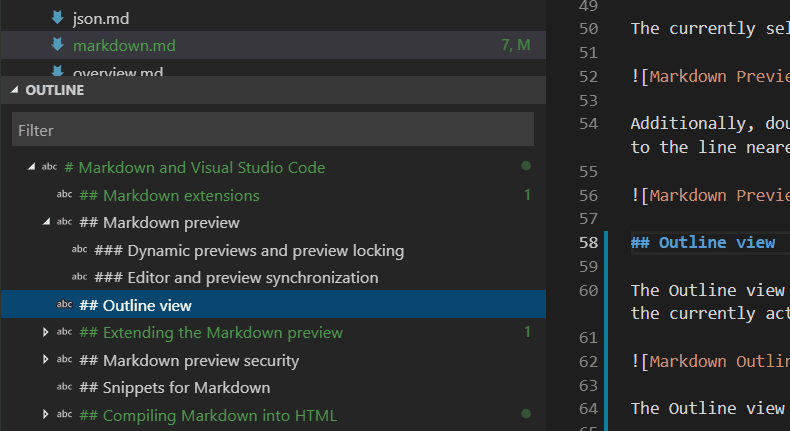
Skills are markdown + script bundles that define exactly how the agent should perform a task. The instructor shows two ways to create Skills:
- Interactive authoring: let the agent scaffold directories and code, then refine interactively.
- Manual editing: write the skill.md and a script (Python/JS/shell) directly for precise control.
Examples of useful Skills:
- Summarizer: given an article URL, produce a short digest and bullet actions.
- Web-reporter: run Tavily/browser extension queries and return structured results.
- Gmail/Calendar connectors: fetch unread messages or upcoming events and summarize.
Automation primitives: cron jobs vs heartbeats
Automation is where assistants become powerful. OpenClaw gives you two primitives:
Cron jobs (scheduled tasks)
Use cron-style schedules for predictable tasks: nightly digests, daily backups, weekly reports.
Heartbeats (frequent monitors)
Heartbeats are short-interval checks that look for triggers: urgent emails, failed services, or new web mentions. They run often and can fire Skills or notifications when conditions are met.
Combined, these let you run both regular maintenance and near-real-time alerts.
Web research & tools: use Tavily or a browser extension
Static knowledge is useful, but many tasks need live web data. The course shows how to integrate Tavily or a browser extension to fetch, summarize, and cite live web results inside Skills.
Typical pattern:
- Skill calls Tavily/browser extension to retrieve top search results for a query.
- Agent summarizes results, extracts key facts, and produces a report in markdown.
- Agent sends report to you via Telegram (or stores it in memory or a file store).
Multi-agent patterns and memory isolation
Running multiple agents is often safer and more practical than one big agent. Keep different identities and memories for different contexts (work vs personal) and avoid accidental cross-talk.
- soul.md — agent identity and role-defining text
- memory.md — agent’s persistent clues and facts
- allow-lists — which Skills or tools an agent can run
For example, your personal agent might have access to your personal Gmail Skill and personal calendar, while your work agent is limited to company resources through separate API keys and allow-lists.
Capstone: Build a Telegram Daily Assistant
The instructor builds a “Telegram Daily Assistant” to bring everything together. Steps summarized:
- Create two Skills: a Summarizer and a Tavily Search Skill.
- Create a Daily Digest Skill that aggregates the Summarizer and Tavily outputs.
- Set up cron to run the Daily Digest each morning and deliver via Telegram.
- Add a heartbeat to check for urgent emails and push them as immediate messages.
- Test interactions locally, then deploy to VPS for 24/7 operation.
Security best practices — don’t let your assistant run wild
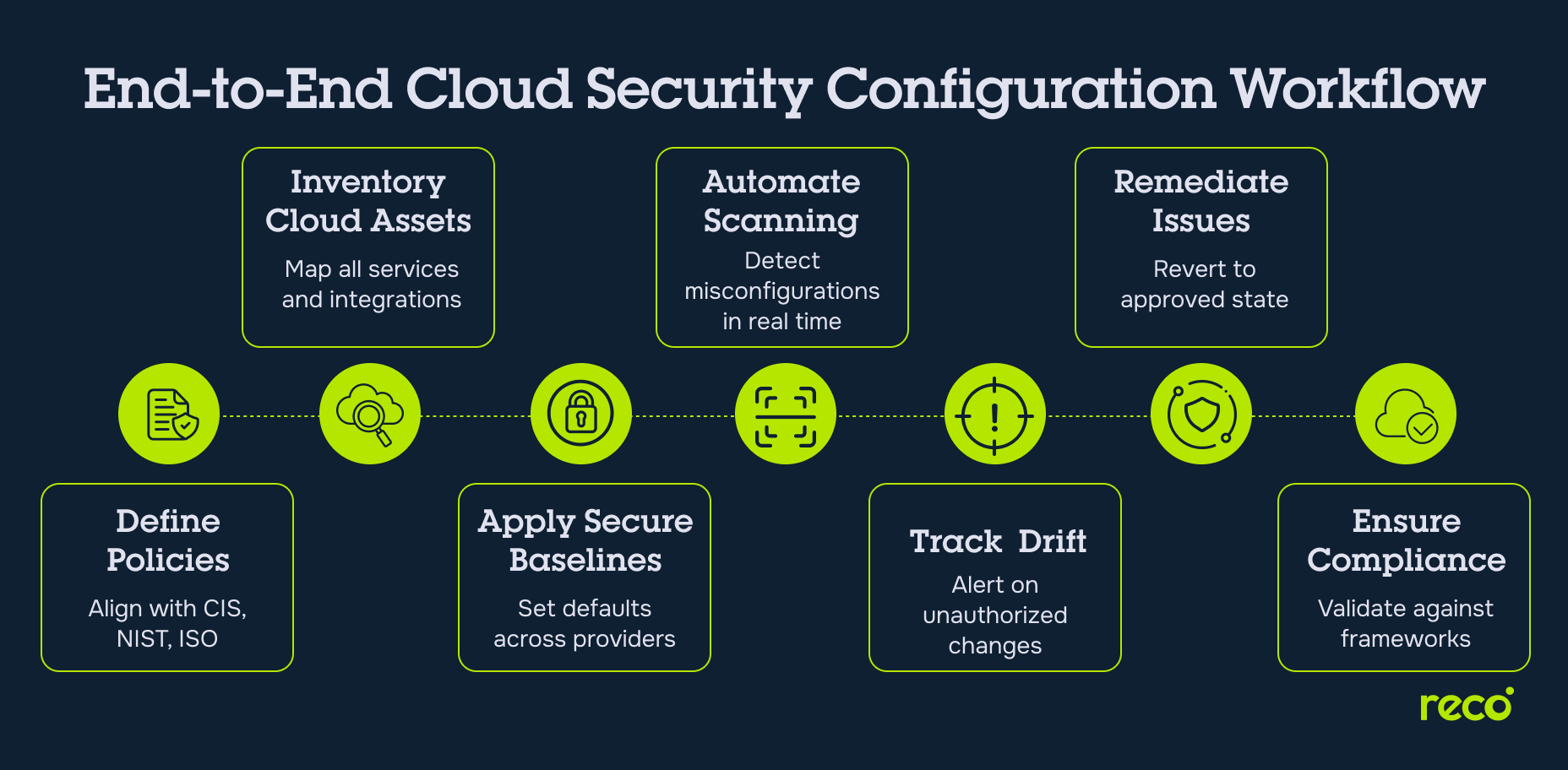
Powerful automation requires serious security hygiene. The video spends a lot of time on this and for good reason. Here are practical recommendations:
- Sandbox tool execution: run Skills in restricted environments or containers (no arbitrary shell access by default).
- Restrict browser/terminal access: deny browser or terminal tools unless explicitly required.
- Use allow-lists for tools and endpoints: only permit approved Skills to call sensitive APIs.
- Rotate tokens and use least-privilege credentials — never bake secrets into the repo.
- Monitor logs and set alerting for unusual activity (unexpected skills runs, large data exports).
- Train prompt-injection awareness into Skill design: validate sources, sanitize inputs, and prefer structured data over free-form scraping when possible.
Where n8n fits in (short-tail & long-tail keyword)
If you’re already using automation tools like n8n, OpenClaw can complement that stack nicely. Use n8n for orchestration-heavy, non-AI workflows (ETL, multi-step integrations) and call OpenClaw Skills for AI-first tasks like summarization, web research, or context-aware decision-making. For example:
- n8n triggers a webhook when a new support ticket arrives → Gateway routes to OpenClaw agent that drafts a reply via a Summarizer Skill.
- n8n aggregates data from multiple APIs, then calls an OpenClaw Skill for a natural-language executive summary.
In other words, think of OpenClaw as the intelligent “act” layer while n8n remains the robust orchestrator. If you want to be explicit: consider the phrase “n8n integration with OpenClaw” when documenting the pipeline so future maintainers know where orchestration ends and agent actions begin.
Practical tips and common pitfalls
- Start small: one Agent, one Channel, one or two Skills. Iterate.
- Run locally with minimal permissions for development, then tighten policies on the VPS.
- Log everything — inputs, agent decisions, and tool outputs. Logs are invaluable for debugging and audits.
- Limit frequency on heartbeats to avoid runaway API costs.
- Use test accounts for integrations (Telegram test bots, sandbox API keys) during development.
Conclusion — build assistants, not chatbots
OpenClaw changes the mental model: from transient conversation to durable capabilities. By converting prompts into Skills, connecting channels like Telegram, running scheduled and heartbeat-driven jobs, and integrating live web research, you can create a practical assistant that does real work for you 24/7.
Pair OpenClaw with thoughtful deployment (VPS/Hostinger), orchestration tools like n8n, and strong security practices and you’ll have a reliable, maintainable system that moves beyond prototypes into useful automation. The power is tremendous — but so is the responsibility. Keep agents sandboxed, give them least-privilege access, and design Skills with auditability in mind.
Ready to try the Telegram Daily Assistant? Start by scaffolding a single Summarizer Skill, hook it to a test Telegram bot via BotFather, and iterate. Small wins compound fast.